Marshal Acton II Voice, struggle to connect

KareKrapp

Active member
Dec 6, 2025
6
1
25
I had to get a new Wi-Fi-router.
Have had Acton II voice connected to to old network for god know how many years.

The new network is workign fine, but the speaker won't connect.

I have done all the tricks in the book.

Take the power. Hold source and mute,. '
The router has 2.4 and 5 ghz... I have disable the 5..to avoid confusion.

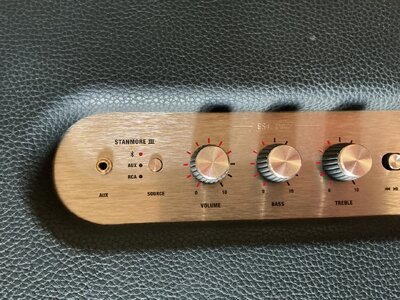
When I hold source button, (wifi blink red)... it skips to BT.

I hold source and mute.... then it blinked fatser, but nothing happends.
My pad with Google Home is on the 2.4 ghz-net..

What do I do?

(i asked ChatGpt... but it gave me different answere each time I told it that what it said did nor work.

 
I had to get a new Wi-Fi-router.
Have had Acton II voice connected to to old network for god know how many years.

The new network is workign fine, but the speaker won't connect.

I have done all the tricks in the book.

Take the power. Hold source and mute,. '
The router has 2.4 and 5 ghz... I have disable the 5..to avoid confusion.

When I hold source button, (wifi blink red)... it skips to BT.

I hold source and mute.... then it blinked fatser, but nothing happends.
My pad with Google Home is on the 2.4 ghz-net..

What do I do?

(i asked ChatGpt... but it gave me different answere each time I told it that what it said did nor work.

We have the Marshall Stanmore 3 and have noticed some things about connection are you sure you are holding down on the Bluetooth button on the Marshall allowing it to connect to your pad?

Just something I noticed recently when connecting ours again having not listened to it for a while.

We recently went from BT to EE router and for us it was the printer that didn’t work with it.
 
We have the Marshall Stanmore 3 and have noticed some things about connection are you sure you are holding down on the Bluetooth button on the Marshall allowing it to connect to your pad?

Just something I noticed recently when connecting ours again having not listened to it for a while.

We recently went from BT to EE router and for us it was the printer that didn’t work with it.
Its wi-fi.. not BT.

Speaker does not want to connect to the new network.
 
  • Like
Reactions: Gel Man
Its wi-fi.. not BT.

Speaker does not want to connect to the new network.
Yes, that’s what I sort of mean Wi-Fi. I had trouble connecting to WiFi last time I was using our Marshall, when you switch it to Bluetooth on the Marshall are you sure you are holding down on the Bluetooth button long enough to make a connection to WiFi?
 
Yes, that’s what I sort of mean Wi-Fi. I had trouble connecting to WiFi last time I was using our Marshall, when you switch it to Bluetooth on the Marshall are you sure you are holding down on the Bluetooth button long enough to make a connection to WiFi?
I press sourcebutton (and mute/mic) according to instruction manual/internett search
 
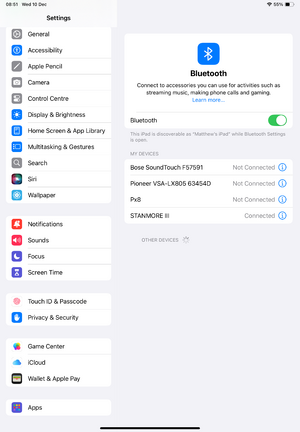
Do you need to allow local access to your network on the iPad ?
Phone, tablet, pc connected instantly when the network was set up.

On the old, when I bought the speaker (I had to then).. 6 years ago.. Right on the net... no fuzz.

It's the same kind of wi-fi router from the same provider. (Old one got som hick ups).

The speaker is also reset to default. Back to english.. it was set up to Norwegian.
 

TRENDING THREADS

Latest posts