Marshal Acton II Voice, struggle to connect

KareKrapp

Member
Dec 6, 2025
2
1
20
I had to get a new Wi-Fi-router.
Have had Acton II voice connected to to old network for god know how many years.

The new network is workign fine, but the speaker won't connect.

I have done all the tricks in the book.

Take the power. Hold source and mute,. '
The router has 2.4 and 5 ghz... I have disable the 5..to avoid confusion.

When I hold source button, (wifi blink red)... it skips to BT.

I hold source and mute.... then it blinked fatser, but nothing happends.
My pad with Google Home is on the 2.4 ghz-net..

What do I do?

(i asked ChatGpt... but it gave me different answere each time I told it that what it said did nor work.

 
I had to get a new Wi-Fi-router.
Have had Acton II voice connected to to old network for god know how many years.

The new network is workign fine, but the speaker won't connect.

I have done all the tricks in the book.

Take the power. Hold source and mute,. '
The router has 2.4 and 5 ghz... I have disable the 5..to avoid confusion.

When I hold source button, (wifi blink red)... it skips to BT.

I hold source and mute.... then it blinked fatser, but nothing happends.
My pad with Google Home is on the 2.4 ghz-net..

What do I do?

(i asked ChatGpt... but it gave me different answere each time I told it that what it said did nor work.

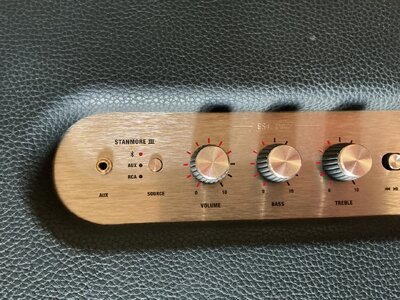
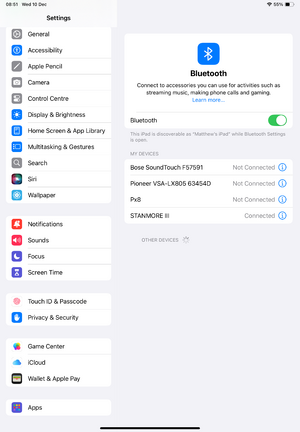
We have the Marshall Stanmore 3 and have noticed some things about connection are you sure you are holding down on the Bluetooth button on the Marshall allowing it to connect to your pad?

Just something I noticed recently when connecting ours again having not listened to it for a while.

We recently went from BT to EE router and for us it was the printer that didn’t work with it.
 
We have the Marshall Stanmore 3 and have noticed some things about connection are you sure you are holding down on the Bluetooth button on the Marshall allowing it to connect to your pad?

Just something I noticed recently when connecting ours again having not listened to it for a while.

We recently went from BT to EE router and for us it was the printer that didn’t work with it.
Its wi-fi.. not BT.

Speaker does not want to connect to the new network.
 
  • Like
Reactions: Gel Man
Its wi-fi.. not BT.

Speaker does not want to connect to the new network.
Yes, that’s what I sort of mean Wi-Fi. I had trouble connecting to WiFi last time I was using our Marshall, when you switch it to Bluetooth on the Marshall are you sure you are holding down on the Bluetooth button long enough to make a connection to WiFi?
 
You have to hold the source button down long enough on Bluetooth, so that it connects to the WiFi?
 

Attachments

  • image.jpg
    image.jpg
    774.2 KB · Views: 0

TRENDING THREADS

Latest posts