How To Hi-fi and Windows 11

Pattern-chaser

Active member
Mar 1, 2026
8
4
25
Micro$oft recently forced me to buy a new PC, to support Windows 11. So I dipped into my savings, and now I'm spending more hours than I could've believed trying to get my new PC to behave like the old one did. And so to hi-fi and audio:

On Windows 10 (and before), I used foobar2000 to play my locally-stored music collection, using ASIO to pass 'BitPerfect' audio to my USB-connected Chord Mojo 2 DAC, and thereby to my Sennheisser HD800S headphones. And all worked well.

But Windows 11 does not seem to support ASIO or (exclusive) WASAPI. I've tried foobar2000, MusicBee and Winamp, all with ASIO or WASAPI, and Windows mangles my music before I get to hear it. The Windows volume and balance controls are active, which wouldn't be so bad. But my music collection holds mp3s, a few DSD files, and FLAC files, many of them hi-res. Windows resamples my music to whatever single frequency is set in the sound settings. The result is that most files sound like so-so mp3s, even when they're 24/192 top-notch recordings.

Has anyone else had similar problems?

Have you discovered any solutions, or work-arounds?
 
Can only say Win11 is the worst **** piece of SW I´ve ever used.
By chance, I stopped using a laptop as source (which worked great with different music players) since I bought an Eversolo DMP-A6
Glad I did that.

My advice: see an alternative to your PC. Win11 will not improve, quite the opposite! The tendency is to get worse with every new update.
 
  • Like
Reactions: Pattern-chaser
Micro$oft recently forced me to buy a new PC, to support Windows 11. So I dipped into my savings, and now I'm spending more hours than I could've believed trying to get my new PC to behave like the old one did. And so to hi-fi and audio:

On Windows 10 (and before), I used foobar2000 to play my locally-stored music collection, using ASIO to pass 'BitPerfect' audio to my USB-connected Chord Mojo 2 DAC, and thereby to my Sennheisser HD800S headphones. And all worked well.

But Windows 11 does not seem to support ASIO or (exclusive) WASAPI. I've tried foobar2000, MusicBee and Winamp, all with ASIO or WASAPI, and Windows mangles my music before I get to hear it. The Windows volume and balance controls are active, which wouldn't be so bad. But my music collection holds mp3s, a few DSD files, and FLAC files, many of them hi-res. Windows resamples my music to whatever single frequency is set in the sound settings. The result is that most files sound like so-so mp3s, even when they're 24/192 top-notch recordings.

Has anyone else had similar problems?

Have you discovered any solutions, or work-arounds?

Windows II is kind of a slow burner, It's essentially Windows 10 with the extra bloat.

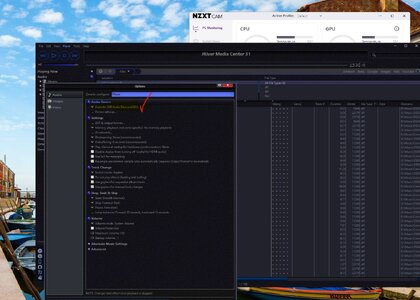
My Windows 11 is fully compatible with XMOS, ASIO, WASPI etc, as per below. Check you have the latest drivers for your device.
I have used Foobar2000 when my setup was Windows 10, it worked perfectly, when I switched to Windows 11, I encountered some problems, I managed eventually to get it to work, I can't recall exactly what I did but I was only getting DOP 256, under Windows 10, I was able to listen to DSD 512 natively.

The difference in sound quality was only marginal. It was kind of an irritation for me, so I switched to JRiver media software.
Not an open-sourced software like FooBar2000 but less buggy, much more solid but you do have to fork out £69 to activate the software and you do get regular updates. There's a trail period of 31 days, you can decide if this is for you.
Worth looking into JRiver if you're using Windows 11.

Screenshot 2026-03-01 172910.jpg
 
  • Like
Reactions: Al ears
Unless it was a really old computer there was no need to buy a new one as there are plenty of workarounds to get Windows to work on unsupported hardware, (Just do a quick google search)

As with all computers (No matter the OS) use an external USB interface for best results, that way the ASIO drivers are not hindered by the OS. (If you have a Mac then you can also use Thunderbolt)

Bill
 
As with all computers (No matter the OS) use an external USB interface for best results, that way the ASIO drivers are not hindered by the OS. (If you have a Mac then you can also use Thunderbolt)
My PC is on Windows 10. I use Foobar2000 and the Asio drivers supplied by Pathos, to send audio via USB to my Pathos Converto, with no problems. Not tried Windows 11 yet, or Ubuntu which I have on dual boot but, am yet to get to grips with.
 
Are you using headphones? Audio out to a hi-fi? Laptop speakers? Bluetooth output? The answer will change depending on which way you listen.
Really? The problem manifests at the external DAC. Its two analogue outputs are used to drive my headphones and the main hi-fi in the adjoining room, but not simultaneously. 😉 My problem remains under all of the destinations you mention, although I don't use Bluetooth; wired connections only, thanks.

I need to find a way to prevent Windows from mangling my music before it reaches the DAC, whatever the DAC drives via its analogue outputs.
 
Can only say Win11 is the worst **** piece of SW I´ve ever used.
By chance, I stopped using a laptop as source (which worked great with different music players) since I bought an Eversolo DMP-A6
Glad I did that.

My advice: see an alternative to your PC. Win11 will not improve, quite the opposite! The tendency is to get worse with every new update.
In parallel with my new PC, I've been considering a bit of hi-fi kit like your Eversolo, to remove the PC from the loop altogether. PC are a great (?) source of digital noise, etc, anyway. The only problem with that is (as we all know) decent hi-fi kit is pricey, and I'm a pensioner. So upgrades have to wait until some freak of fate allows them. :disrelieved:
 
  • Like
Reactions: GroeneLeeuw
Micro$oft recently forced me to buy a new PC, to support Windows 11. So I dipped into my savings, and now I'm spending more hours than I could've believed trying to get my new PC to behave like the old one did. And so to hi-fi and audio:

On Windows 10 (and before), I used foobar2000 to play my locally-stored music collection, using ASIO to pass 'BitPerfect' audio to my USB-connected Chord Mojo 2 DAC, and thereby to my Sennheisser HD800S headphones. And all worked well.

But Windows 11 does not seem to support ASIO or (exclusive) WASAPI. I've tried foobar2000, MusicBee and Winamp, all with ASIO or WASAPI, and Windows mangles my music before I get to hear it. The Windows volume and balance controls are active, which wouldn't be so bad. But my music collection holds mp3s, a few DSD files, and FLAC files, many of them hi-res. Windows resamples my music to whatever single frequency is set in the sound settings. The result is that most files sound like so-so mp3s, even when they're 24/192 top-notch recordings.

Has anyone else had similar problems?

Have you discovered any solutions, or work-arounds?

If there is still space and interest in the original Q: I've been running MusicBee to manage my ~1K-album digital collection on Intel NUCs since Windows 7 -which it still supports, and am now running it fully satisfactorily under Windows 11 Pro. It is regularly updated and supported better than any option -I believe, though I haven't bothered to review or even check anything else for about a decade. I rip CDs -mostly in FLAC- and cull my collection two or three days a week with MusicBee.

Qualifications: As with most software I've ever run, I know a fraction of MusicBee's capabilities; and I play most formats through my stereo (and DAPs), and do not listen to music much on my desktop -never have. But, it is lack of interest, not any software limitations: the program seems to be able to do anything, internally and outwardly.

I do also run MusicBee on two Surface Pros -one running Windows 8 ->10, and one Windows 11 Pro, but these also playing through my stereo -especially with bluetooth. The Win 10 one is at my main listening station full time, streaming Amazon Music or playing my own music with MusicBee exclusively.

I've only noticed increasing capabilities in MusicBee through the version changes in Windows, never any balks or barriers. Good luck (re)learning your new PC and setting up its critical music management tasks.

BTW, MusicBee has always run exclusively on Windows and has always been free.
 
  • Like
Reactions: Pattern-chaser
Foobar works perfectly on my Win 11 Pro system provided I switch output to my DAC/Amp.

You need to go into its preferences/playback/output/devices and only enable the devices noted with [exclusive] attached on the ends. That way when you select an output device, it will always be in exclusive mode. (For my DAC/Amp, the output is 32 bit, for my sound card/speakers it's 24 bit)). Right click on the toolbar and you can add the "Output Switcher" to easily change from one to another output device...
 
  • Like
Reactions: Jasonovich
Foobar works perfectly on my Win 11 Pro system provided I switch output to my DAC/Amp.

You need to go into its preferences/playback/output/devices and only enable the devices noted with [exclusive] attached on the ends. That way when you select an output device, it will always be in exclusive mode. (For my DAC/Amp, the output is 32 bit, for my sound card/speakers it's 24 bit)). Right click on the toolbar and you can add the "Output Switcher" to easily change from one to another output device...
On my Windows 11, I have disabled the MB Realtek sound Chipset, so I only listen to sound via the Eversolo DAC.
I also had sound devices built into the CAM, one of the usb hubs had headphone jack, it had it's own sound card built-in.

It got a bit messy on my PC and there were instances, I was getting distortion from my external DAC, too many drivers vying for the same address.
When I dismantled all other sound devices, the problem disappeared.
 
  • Like
Reactions: Pattern-chaser
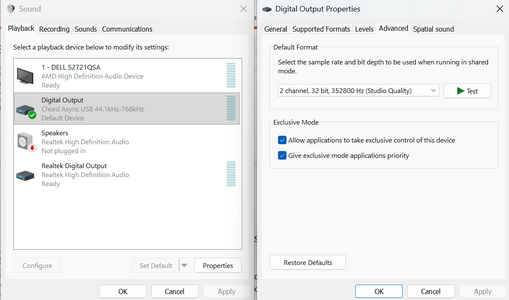
You may already have done it, but this site shows you how to set it up for Windows 11 <link> perhaps you missed something when setting it up. (It is easy to miss a tick box etc)

Bill
Thanks. Done. It had no effect, but as you say, it's always worth checking. 🙂 A check-box is easy to overlook. But there weren't any check boxes. I just installed it. Oh well. Thanks anyway.
Have you Googled "Windows 11 wasapi exclusive"?
Yes, I just did. Not very useful. Two results, and one of them is your note on this forum, above. 😉 Oh well, thanks for the thought.

I'm not all that bothered about ASIO or WASAPI for themselves, but only to get 'BitPerfect' audio to my external DAC, which can take care of the rest. 🤷‍♂️
tidal has exclusive mode

As some say, just use one setting, you can't hear a difference from the same song with different bit and samplerate
I could hear the difference, which is how I came to recognise that I had/have a problem. But thanks for the idea anyway.


I tried to post these replies yesterday, but an auto-moderator refused them, saying I might've used bad words. I don't think I did/have...?
 
I wrote: "I tried to post these replies yesterday, but an auto-moderator refused them, saying I might've used bad words. I don't think I did/have...?"

I just removed a link that abacus/Bill put into his note, and it all worked OK. 🙂
 
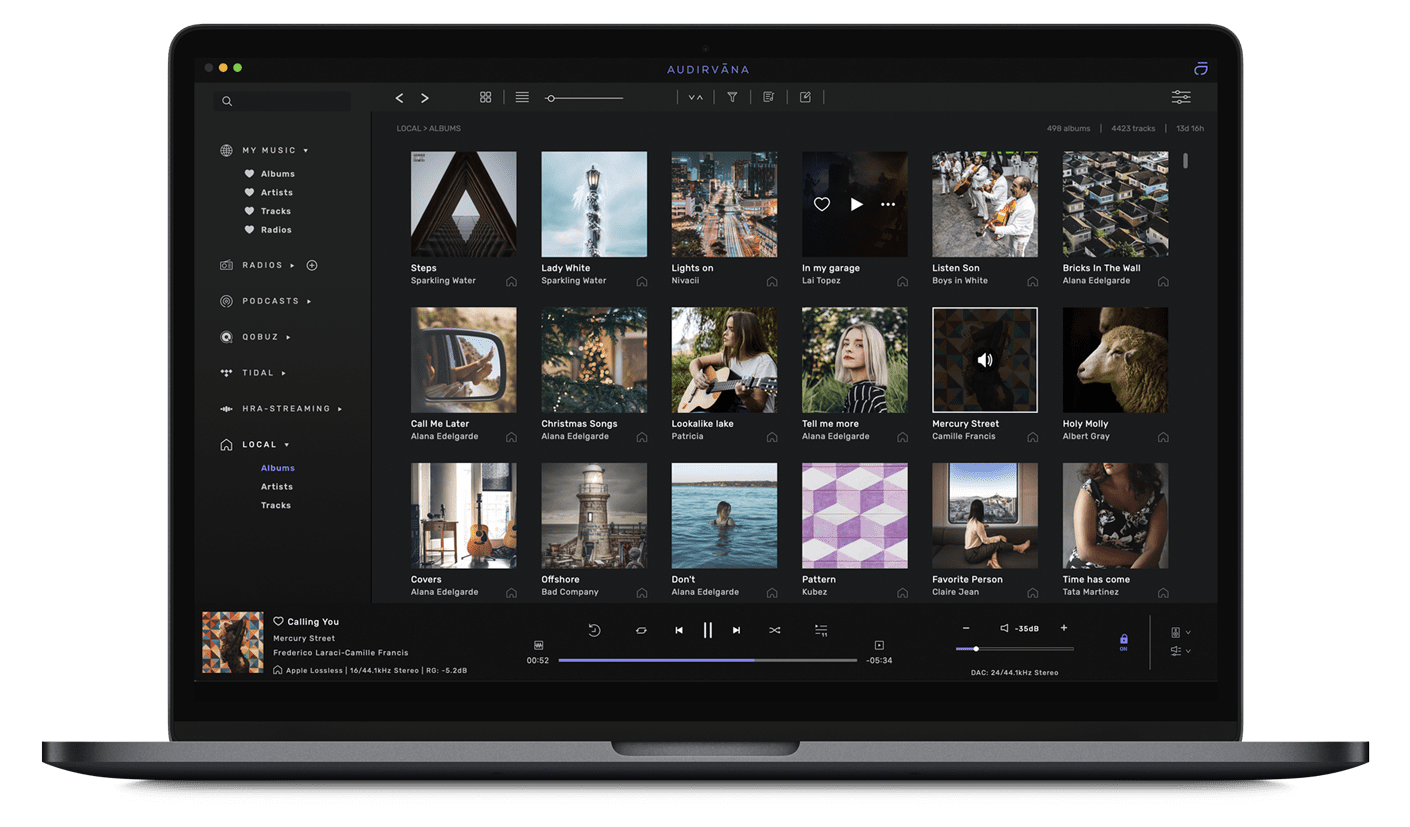
There´s a software that works with Win11 and solves the issues you´re facing, only it´s not free.
You can play your local files (FLAC, WAV, DSD) and incorporate Tidal.
You get access to radio stations & podcasts as well.


You can give it a try, they have a trial period of 30 days.
 
FYI: just tested foobar2000 (v2.25.5) on Win11. When i set the output device to my USB-connected DAC in exclusive mode, its display confirms 24bit/96kHz playback.

It's the first time i play local flac files. I've been playing through the Tidal app on this machine for several weeks. No problem in exclusive mode.
 
  • Like
Reactions: Angle Poise-Lamp

TRENDING THREADS

Latest posts